Unlocking Creativity with Free Decorative Butterfly PNG Files
There is a distinct satisfaction in finding the perfect digital asset to elevate a project, especially when it comes at no cost. The Free Decorative Butterfly PNG available in our store represents exactly that kind of resource—a high-quality, versatile element designed to breathe life into your creative endeavors. Whether you are a seasoned graphic designer, a small business owner launching a new product line, or a hobbyist looking to personalize a gift, understanding how to properly utilize this file can make the difference between a amateur-looking result and a professional finish.
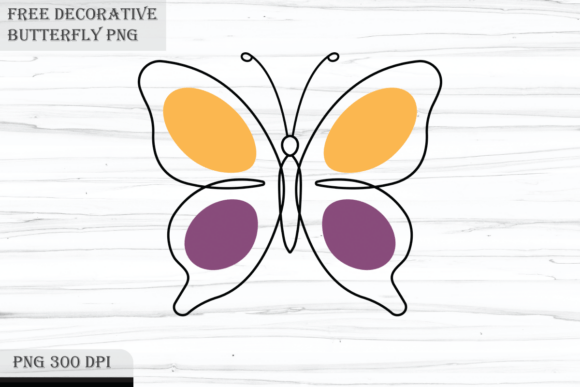
This specific archive includes a single, stunning PNG file measuring 4898 by 4244 pixels. It features a transparent background and is rendered at 300 DPI, which is the industry standard for high-resolution printing. While the offer is generous, many users inadvertently limit their success by overlooking critical details regarding file formats, resolution requirements, and licensing expectations. By addressing these common misunderstandings upfront, you can ensure your projects look polished and perform well across various mediums.
Understanding the Value of High-Resolution Transparency
The primary advantage of this Free Decorative Butterfly PNG lies in its technical specifications, yet these are often the first things creators ignore until problems arise. A common mistake among beginners is assuming that any image found online is suitable for print. Many free resources are optimized only for web use, typically offering 72 DPI and low pixel counts. When these images are scaled up for physical products like wall art or clothing, they become pixelated and blurry, ruining the final presentation.
In contrast, the file provided here is 300 DPI. This density ensures that when you print the butterfly on stationery, sublimation blanks, or large-format posters, the edges remain crisp and the details stay sharp. However, a frequent oversight occurs when users resize the image incorrectly in their editing software. If you scale a 300 DPI image down without maintaining the aspect ratio or proper resampling settings, you can inadvertently degrade the quality before you even begin. To avoid this, always work in a non-destructive manner. Keep the original 4898x4244 pixel file intact in your folder and import it into your design software as a smart object or linked file whenever possible.
Furthermore, the transparent background is a feature that demands attention. Some users attempt to remove backgrounds from JPEGs manually, wasting hours on tedious editing. With this PNG, the background is already removed. The error here is not utilizing layers effectively. When placing this butterfly over a patterned background or a photograph, ensure your software supports alpha channels. If you are using basic tools that do not recognize transparency, you might end up with an unwanted white box around your design. Always preview your export before sending it to print or publishing it online.
Navigating Usage Scenarios and Common Pitfalls
The versatility of this clipart allows for application in numerous fields, from sublimation to stationery. However, different applications require different preparatory steps. A significant misunderstanding arises in the realm of sublimation and clothing design. Creators often forget that sublimation printing mirrors the image. If your butterfly design has a specific directional flow or asymmetry that matters to your composition, failing to mirror the canvas before printing will result in a reversed image on the fabric. While butterflies are often symmetrical, decorative elements within the wings might not be. Always check the orientation relative to your mockup before committing to the heat press.
Another area where errors frequently occur is in the production of stickers and decals. Because this file is high-resolution, it is tempting to print it at massive sizes. While the 4898-pixel width supports large prints, the intricacy of the design must match the cutting capabilities of your plotter. If the decorative lines in the butterfly wings are too fine for your specific vinyl cutter, you may experience weeding issues where small parts of the design tear away. A better approach is to test print a small section first to gauge the level of detail your equipment can handle. For intricate cuts, consider using a higher quality vinyl or adjusting the size slightly to thicken the finest lines if your software allows for offsetting.
For those using this asset for wall art or prints, color management is often the overlooked variable. Screens display colors in RGB (Red, Green, Blue), while printers use CMYK (Cyan, Magenta, Yellow, Key/Black). The vibrant colors you see on your monitor may look duller when printed if not managed correctly. Before running a full batch of prints, perform a test run on the specific paper stock you intend to use. This simple step prevents the disappointment of receiving a shipment of prints that do not match your digital vision.
Clarifying Package Contents and Expectations
Transparency regarding what is included in a download is vital for a smooth workflow. A frequent source of frustration for users is the expectation of included mockups. It is important to clarify that mockups are not included in this package. The zip archive contains strictly the one high-quality PNG file. Users sometimes mistake the preview images seen in the store listing for actual usable files included in the download. When you unzip the archive, you will find the single PNG ready for use, but you will need to source your own mockup scenes if you wish to visualize the butterfly on a t-shirt, mug, or framed poster for marketing purposes.
This distinction is crucial for entrepreneurs and marketers who rely on realistic product visualizations for their online stores. Assuming the mockup is included can lead to delays in your product launch. The proactive solution is to have a library of blank mockup templates ready or to utilize dedicated mockup generators. By separating the asset (the butterfly) from the presentation (the mockup), you actually gain more flexibility. You can place this same butterfly on endless different backgrounds and products, rather than being limited to the specific angles provided in a pre-made mockup file.
Best Practices for Downloading and Organization
Even the simplest process can go awry without a systematic approach. When downloading the Free Decorative Butterfly PNG, ensure you are saving the zip archive to a designated folder on your computer, not directly opening it from the browser's temporary download bar. Extracting files directly from a compressed view without unzipping them first can sometimes lead to corrupted data or inability to access the full resolution.
Once extracted, adopt a consistent naming convention. Instead of leaving the file as "image001.png," rename it to something descriptive like "Butterfly_Decor_HighRes_300DPI.png." This practice saves immense time months later when you are searching through hundreds of assets for a specific project. Additionally, back up your downloaded assets. Digital hoarding is common among creatives, but losing a favorite freebie due to a hard drive failure is preventable with cloud storage or an external drive.
Finally, consider the licensing implications even for free items. While this resource is offered freely to visitors, always double-check if there are restrictions on resale. Generally, you can use the image to create finished products like shirts or cards to sell, but you typically cannot repackage the raw PNG file itself and sell it as your own clipart. Respecting these boundaries ensures you maintain ethical standards in the creative community.
Making the Most of Your Creative Assets
The journey from downloading a file to creating a masterpiece involves attention to detail. By recognizing the importance of the 300 DPI resolution, understanding the nuances of transparency, and clarifying what is and isn't included in the zip archive, you position yourself for success. Whether you are crafting stickers for an Etsy shop, designing invitations for a wedding, or adding a touch of nature to a blog post, this butterfly PNG is a robust tool in your kit.
Avoid the trap of rushing the setup phase. Take the moment to verify your canvas settings, check your color profiles, and organize your files. These small investments of time yield substantial returns in the quality of your final output. Thank you for visiting the store and choosing this resource for your next project. With the right approach and a keen eye for detail, the possibilities for this decorative element are truly limitless. All the best in your creative pursuits.